QR Codes on Packaging Printing: The Smart Way to Replace Product Manuals in 2026
September 30, 2026
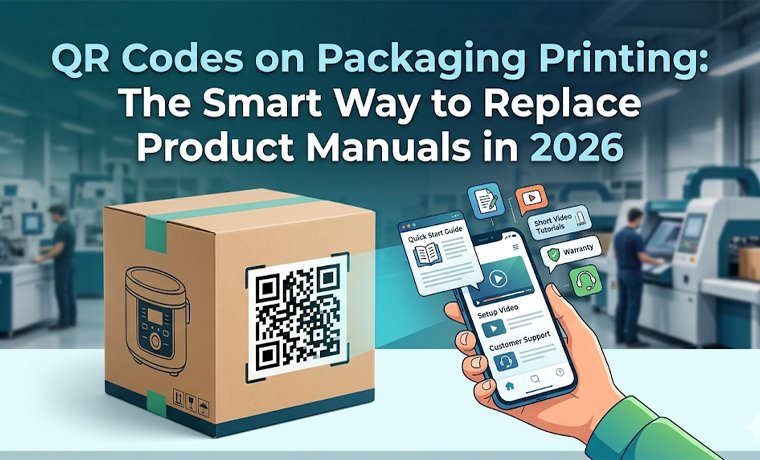
Scenario: Consider opening a new product, along with a 50-page, bloated paper manual. It is annoying, time-wasting, and in many cases, it ends up in the trash within minutes.
Brands are becoming smarter and savvier in 2026 by replacing the so-called paper manuals and instructional guides with something innovative, more professional, and more convenient. The best method to offer instant, interactive, and updatable product information is by printing QR codes on packaging.
Are QR codes actually the most effective way to share product manuals—or just another trendy add-on? This change will save a huge amount on production costs, eliminate lost manual headaches, and enable real-time updates of content without having to reprint. This digital-first approach is a solution to the demand of the modern consumer who requires speed and sustainability.
The most beneficial part of QR codes on packaging printing? You can guide your customer with high-definition video tutorials, AR setup instructions, and multilingual support immediately by scanning a simple code. That is why you can say a change to QR-based documentation is not only necessary, but a competitive requirement to make your supply chain leaner.
What are Printed QR Codes?
A QR code, or Quick Response code, is a two-dimensional barcode that can be scanned by any smartphone camera (iPhone and Android). The information that can efficiently be stored on the barcode is as follows:
- Website URLs
- Contact Information
- Wi-Fi Credentials
- App Store Links
- Email & SMS Triggers
- Payment Information
- Logistics & Serial Numbers
The game-changers are dynamic QR codes. They allow you to switch the destination URL any time - without the printed code.
How do QR Codes on Packaging Printing Work
First, using and creating the QR code seems to be a complicated task. But it becomes simple if you know how to deal with it:
- Creation of URL:
Firstly, create a direct digital destination by simply creating a certain URL that points to your manual, video, or product webpage.
- Code Generation:
A unique QR code is generated with an option of a fixed static version or an editable dynamic URL for future flexibility.
- Professional Printing:
A generated code is printed on your retail packaging, product labels, or inserts, with high contrast to be scanned perfectly.
- Customer Interaction:
Your customer can scan the code at any angle in real-time without the need to have a special app open on their smartphone; just scan the code using their camera.
- Instant Access:
The user will be autoredirected to your digital set-up guide, video tutorial, or manual, to experience a good interaction with QR code packaging.
What QR Code Will Not Expire?
Not all QR codes are created equal. The two main types are:
Static QR codes:
- Permanent
- Cannot be edited
- Best for fixed info
Dynamic QR codes:
- Editable destination
- Trackable scans
- May require subscription
So which one doesn’t expire? A static QR code will not expire, as long as the linked content stays live.
The Benefits of QR Code Manuals
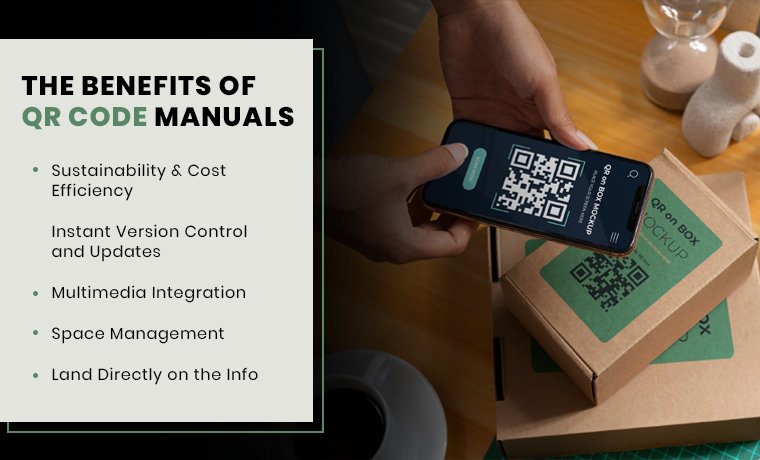
The shift to digital documentation will provide both businesses and consumers with great benefits.
Sustainability & Cost Efficiency:
The main benefit for environmentally aware brands is the decreased paper waste. Moreover, instead of printing thousands of pages of a catalogue or booklet, just printing a small code results in saving thousands of dollars in materials and shipping. Reduced weight of the box means that the fuel used in the logistics is reduced.
Instant Version Control and Updates
Old manuals are one of the biggest banes of manufacturers. When there is a change in any feature of the product, the paper manuals immediately become obsolete. On the contrary, dynamic QR codes allow updating the destination URL in a few seconds. This will make sure that your customers have the latest edition of the manual. Additionally, QR code product packaging is a huge advantage for:
- Evolving products
- Software integrations
- Compliance updates
Multimedia Integration
Digital manuals can be 3D, whereas paper is not. That flexibility makes your brand look more reliable and responsive! Moreover, the majority of people don't like reading manuals, let's be honest. However, kids will swipe through images or watch a brief video.
You may transform dull instructions into interesting experiences by using QR codes on packaging printing. Consider AR demos, clickable FAQs, animation walkthroughs, and tutorial videos.
This keeps people interested while simultaneously simplifying comprehension. Interactive content accommodates a variety of learning styles.
Space Management
Small packaging can present a challenge in fitting the necessary documentation. Minimalist designs are possible by printing a QR code. It comes in handy, especially when there is a need to retain space, especially in cosmetics, small to medium electronics, and fashion accessories. You can link to detailed guides, multilingual content, step-by-step visuals, and even downloadable PDFs (all without increasing packaging size).
Land Directly on the Info
Users no longer have to actively browse through sites or conduct web searches; they can simply scan and find what they're looking for. There are no typos, misunderstandings, or delays! Users will have a better experience with your brand if they receive assistance more quickly. Additionally, it lessens annoyance and supports inquiries.
Common Industries Using Codes Effectively
| Industry | QR Code Use (Short Explanation) |
| Electronics | Gives instant access to setup guides, manuals, and troubleshooting help, replacing printed instructions. |
| Cosmetics | Shares ingredient info, usage tips, and tutorials for better product understanding and safety. |
| Pharmaceuticals | Provides drug authenticity checks, dosage details, and safety instructions for patient protection. |
| Apparel | Shows care instructions, size guides, and styling tips for better product use |
Best Practices to Print QR Codes on Packaging
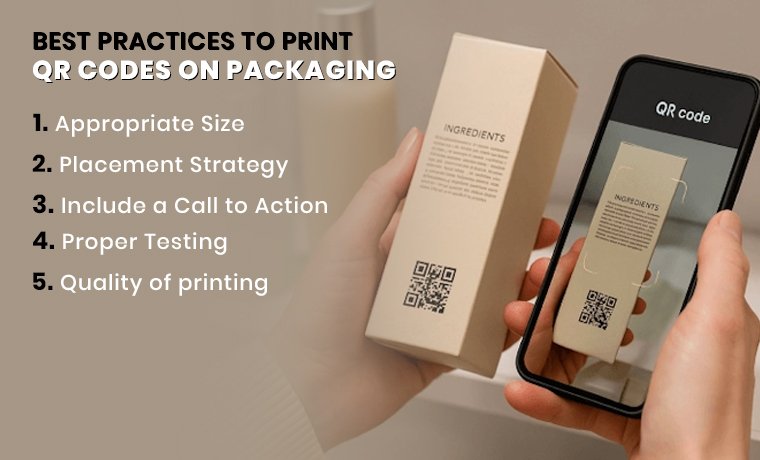
It is simple…well, honestly, QR codes on packaging printing require a bit of thought to get it right.
Appropriate Size
How small can I make a QR code for print? When a QR code is too small, it will not scan. The general principle: close-range scanning should have a minimum size of 2 cm in 2 cm (QR code minimum size for print in inches: 0.8 in 0.8 in). On larger surfaces - such as shipping boxes or retail displays - scale up. Bigger codes read quicker and over longer distances.
Bonus: minimum size of QR code in print pixels/Minimum size for QR code in pixels: At least 300 x 300 pixels for print quality
Placement Strategy
Place your QR code in a place that is visible and attractive. Placements that are common to high-performance include:
- Back panel - most anticipated, best when using longer CTAs.
- Bottom of the box - ideal with shelf displayed products.
- Side panels - can be utilized in large format packaging where there are many touch points.
- Close to the product opening - optimizes scan rates when opening the product.
Coded surfaces should avoid curved, glossy, or textured surfaces. These decrease scan reliability.
Include a Call to Action
An out-of-context QR code does not work. So? A readable text should be added, like:
- Scan to view the setup video.
- Find your user guide in 10 languages or more.
- Scan to register warranty + support.
This little addition drastically boosts scan rates. After all, individuals prefer to know what they are getting to scan.
Proper Testing
Testing is an imperative quality control step because consumers are likely to give up if they encounter difficulties even once.
You must test your QR code on several devices before finalizing it for packaging. Performance may be impacted by variations in cellphones' cameras, scanning speeds, and software interpretations. Also, a code that functions flawlessly on one device may lag or malfunction on another. Test it from multiple angles and distances, in varied lighting situations, and on both iOS and Android.
Quality of printing
The QR code might be low-resolution, blurred, or low-contrast; it won't scan. Any scan that fails is a frustrated customer. The most important printing guidelines:
- High contrast - code is always dark on a light background (or vice versa)
- Printing resolution of 300 DPI or more.
- Maintain the Silent Zone - the blank white margin on the code. It is not ornamental, it is functional. In its absence, scanners do not work.
- Do not put the code on a busy or patterned background.
- Test code on various devices, and then complete artwork.
QR Code Ideas for Consumer Packaged Goods
You must be wondering how to print a QR code properly, so here are a few tips:
- Use vector formats (SVG, EPS) for sharp edges
- Maintain a quiet zone (white space) around the code
- Avoid glossy finishes that reflect light
- Don’t distort the shape—keep it perfectly square
- Spot UV looks cool, but test scanability
- Foil stamping? Risky unless the contrast is strong!
Addressing the Real Challenges!
QR codes on packaging printing are not ideal. Being straight about that!
In any case, if access to the Internet is needed, a QR code will be connected to online information. Or a customer is outside a region with no good connectivity to the internet, or is installing a product on a plane, it is not possible to access it.
The fix:
Provide a downloadable version of the PDF on the page linked to it so that users can download the manual when offline. This gap is neatly filled in with hybrid packaging, which incorporates a condensed quick-start card together with the QR code.
Also, do not go completely paperless without justification by your audience statistics! The most encompassing and efficient combination to date, regarding most brands, will be a minimum quick-start guide and a QR code that leads to deeper content.
Does a 3D QR Code Exist?
There are 3D printed QR codes, and they look awesome. They are frequently debossed or embossed onto surfaces such as:
- Packaging made of plastic
- Plates of metal
- Product casings
Are they useful, though? To successfully scan, they require bright lighting and contrast. Also, they are not handled effectively by all phone cameras. Unfortunately, in many cases, they serve more aesthetic purposes than practical ones. Therefore, stick to high-quality printed codes unless your brand is aiming for a premium, experimental vibe.
How To Use QR Codes On Packaging Printing? | More Than Just Manuals
Instructions are only one aspect of QR codes on packaging printing; another is connection. QR codes are currently being used by brands for:
- Verification of authenticity
- Loyalty programs
- Behind-the-scenes brand narratives
- Publications about sustainability
Likely, you've recently noticed QR codes on food packaging, and for good cause. Usually, they can connect to:
- Nutritional analyses
- Sourcing of ingredients
- List of allergens
- Ideas for recipes
- Systems for tracking expiration
What Is the FBI Warning About QR Codes?
Can you create a printable QR code? YES! But due to a growing concern known as "quishing" (QR phishing), in which attackers use phony QR codes to deceive consumers, the FBI has issued warnings regarding QR codes. These malicious scripts have the ability to install dangerous software on devices without the user's knowledge, steal personal information like login credentials, and reroute users to fraudulent websites.
What companies ought to do:
Prioritizing security requires brands to use branded and verified URLs behind QR codes. They should steer clear of dubious URL shorteners, provide a clear explanation of the purpose of the products with QR codes, and make sure that packaging fosters trust by being transparent and clearly labeled.
What users ought to do:
- Random or unreliable QR codes on packaging printing should not be scanned by users.
- Before entering any personal information, always verify the URL preview.
Conclusion
The use of paper manuals is not disappearing in a day. However, in the case of brands that desire to be quicker, smarter, and more helpful to their customers, QR codes are the easy go-to way. Companies now put a little square that instantly links consumers to a digital handbook, installation videos, troubleshooting instructions, warranty information, and product registration instead of cramming paper guides into boxes.
To design your custom box printed with QR codes, contact Custom Product Packaging. We create packaging that works to deliver amazing digital experiences, visual beauty, product safety, brand recognition, and whatnot! Call +1(888)-511-0592 today and let's talk about what's possible for products with QR codes.