Packaging Mockups 101: See Your Box Before It Hits the Shelf
September 30, 2026
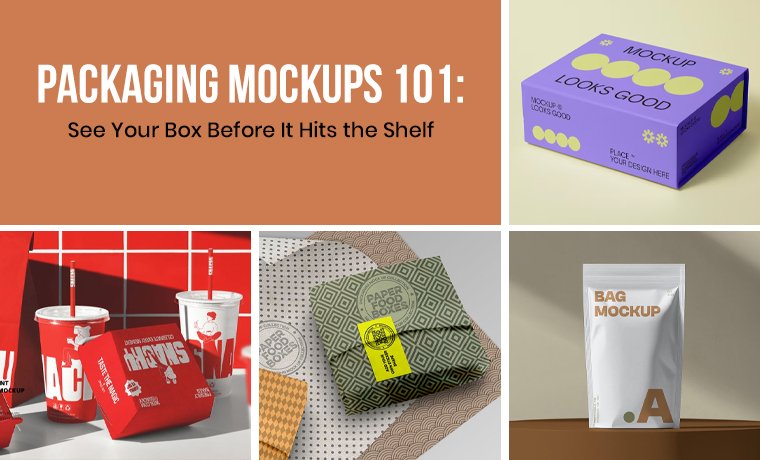
Considering ideas are usually only rough sketches and scattered notes, brands need a way to see the idea in action. That’s exactly what a packaging mockup provides!
Packaging mockups are life-like illustrations of your boxes before they get into full-scale production. They replicate real-life conditions such as light, texture, folds, shadows, and sizes (unlike a flat design file, which is simply a visual of the exterior-facing artwork. Yes, it is a 2D layout). In simple words, a packaging design mockup enables architects, marketing professionals, and brand owners to see how structural features will appear on the finished box rather than theorizing.
Brands may play around, modify, and demonstrate ideas in minutes with tools like free packaging mockups, free mockup generators, and even free online 3D packaging design software.
Let's review how mockups function, why they are necessary, and how they aid in the transformation of packaging from concept to reality.
What Is a Packaging Mockup
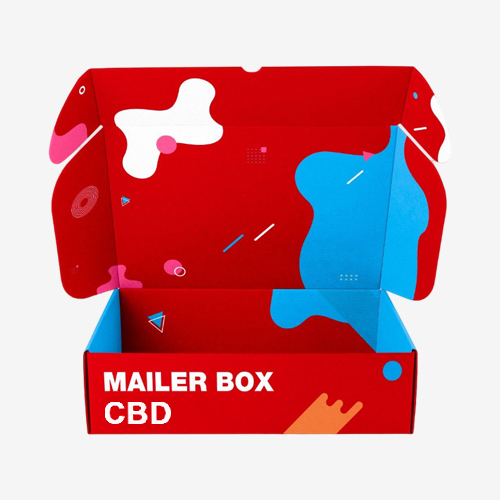
The packaging mockups are digital or visual representations of a packaging design developed to mimic a real-world look. Before mass production, they assist designers and brands in assessing the aesthetics. Instead of viewing your artwork on a plain flat file, a packaging box mockup shows how the design will wrap around the structure, including edges, folds, shadows, and perspective.
Mockups are between concept development and final production. They can have revisions, approvals, and marketing preparations before manufacturing commences. The best part? It lets brands evaluate:
- Layout alignment
- Color balance
- Branding visibility
- Shelf presence
- Structural proportions
Read More: How to Make Packaging Artwork That Sells More In 2026
Free Packaging Mockups:
These days, a lot of websites provide free packaging mockups that make the procedure easier. Usually, these mockups are editable templates that allow designers to add their creative work and see it immediately applied to a 3D package model.
Designers can save hours of labor while still creating expert visuals because they are pre-built. These free tools enable startups and small firms to showcase smart packaging ideas without having to spend a lot of money on design.
How Brands Use Mockups in Real Projects
Before manufacturing starts, brands employ them at various stages of the packaging process.
| Stage | How Mockups Are Used | Purpose |
| Concept Development | Designers experiment with various shades, formats, logo placements, and typography. | Aids in early design direction refinement and creative idea visualization. |
| Internal Review | The mockups are assessed by the branding and marketing departments. | Guarantees that the packaging complements the messaging, product placement, and brand identity. |
| Client Approval | Customers or stakeholders are shown realistic representations. | Facilitates the approval of the design prior to packaging production. |
| Manufacturing Preparation | After the mockup design is complete, it is moved to Dielines and is ready for actual samples. | Provides precision and a seamless transfer from design to production. |
Types of Packaging Mockups
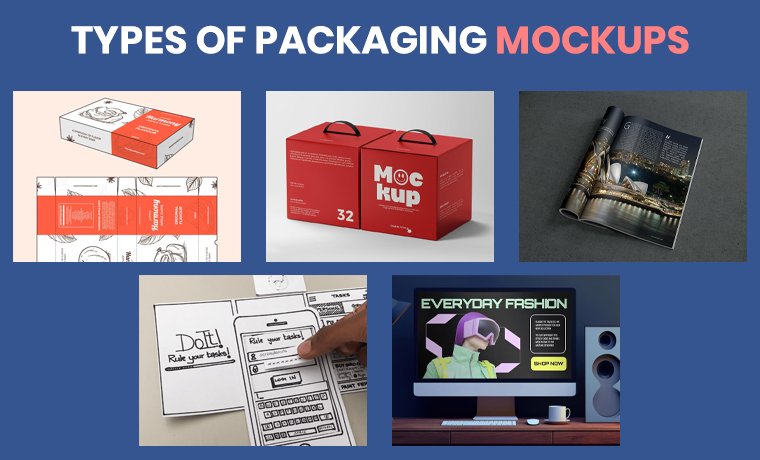
During the design and development phase, packaging mockups are available in a variety of formats, each with a distinct function. Before production starts, these mockups, which range from brief digital previews to lifelike 3D images, assist brands in assessing how their package will appear.
2D Packaging Mockups:
It is the flat design previews that display images on dielines or packaging templates. These are mostly used for assessing layouts, formatting, and artwork arrangement in the early stages of design.
3D Packaging Mockups:
Realistic digital images with lighting, shadow effects, and texturing that depict the packaging from multiple points of view. They assist brands with envisioning how the finished bottle, pouch, or retail packaging box will look on store shelves.
Photorealistic Mockups:
Excellent mockups that mimic actual product pictures, these are frequently utilized for eCommerce product lists, presentations, and marketing materials.
Physical Mockups (Prototype Samples):
Printed prototypes of the packaging are made before manufacturing in large quantities, enabling marketers to examine the overall user experience, strength, dimensions, and design.
Animated or Interactive Mockups:
Digital mockups with movement or interaction, like packaging that opens and closes or rotating perspectives. These are helpful for digital marketing efforts, internet shops, and presentations.
Why Packaging Mockups Matter More Than Ever
Once production begins, it is costly to make changes to packaging options. Delays, additional expenses, and material waste might result from printing thousands of counter display boxes with a design defect. That issue is resolved with mockups, which enable teams to identify problems prior to manufacturing. Moreover, here are other reasons why brands and designers depend on them:
Visual Realism:
Flat designs don’t always show how a product will look on shelves. On the contrary, mockups allow you to see designs in the actual world, as it takes light and shadows into consideration. In fact, it reveals how textures, finishes, graphics, and typography behave. You can understand the scale and proportions in three dimensions.
Example: One can know if typography is readable when it is put around a curved bottle or if the brand mark sits correctly on the lid.
Cost-Efficient Testing:
You can quickly experiment and refine your design without risking expensive mistakes. From instantly checking different color schemes on subscription boxes to comparing multiple layout variations, it reduces the back-and-forth with suppliers and clients. The design process becomes more efficient and results in quicker approval as everything is initially reviewed digitally.
Example: Compare a matte black luxury design with a vibrant retail-ready color scheme for an ideal selection.
Better Client Communication:
A flat PDF is hardly convincing. Nevertheless, an intended packaging design mockup is communicative. Customers will be able to see the end product ready for retail, rather than have an imaginative picture. How? A well-made packaging box mockup can give a design a sense of tangibility.
It is mandatory for professional presentations, as it leaves the clients with fewer misunderstandings and facilitates faster decision-making.
Free Mockup Generators: No Installation Required
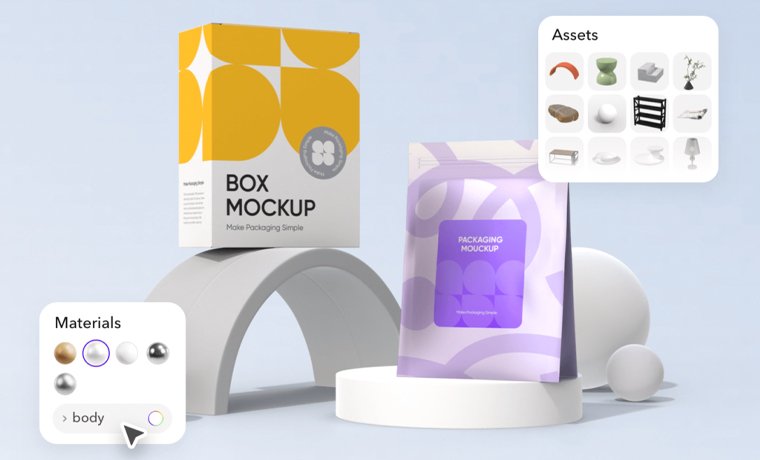
A free mockup generator might streamline the process if conventional design tools seem daunting.
With the use of these online tools, consumers can choose a package model, upload artwork, and have the design immediately applied to the template. The generator creates an accurate illustration of the packaging in a matter of seconds. These tools allow users to:
- Rotate the packaging 360 degrees
- Adjust lighting and materials
- Test structural layouts
- Simulate real-world shelf placement
Moreover, accessibility and quickness are the prime benefits. It is even possible for non-designers to visualize their custom shape box concepts and present them to marketing teams or suppliers.
3D Designing Tools and Platforms:
- Placeit
- Smartmockups
- Mediamodifier
- Mockup World
- Mockuuups Studio
- Blender
- Canva Mockup Generator
- Artboard Studio
- Boxshot
- Adobe Photoshop
- Pacdora
- MockupBro
Where Adobe’s smart-object layers let you replace artwork very quickly and promise flexible editing, Pacdora gives you full creative control. Also, the easy drag-and-drop interface of Boxshot and plenty of templates for die-cut boxes in Smartmockups let you enjoy the designing process. Every tool comes with a special set of features to deliver professional results at no cost of licensing.
Artificial Intelligence-Based Mockup Packaging Tool
AI technologies can create custom boxes’ visuals automatically on the basis of textual prompts or flat designs.
Pros:
- Fast production
- Automated lighting & shadows
- Very little design competence was needed.
Cons:
- Less precision control
- Output variability
- AI-based mockups are gaining more applications in quick ideation.
Conclusion
The mockups of packaging are necessary to beat the market competition and stand apart. They help you visualize! They help you validate! They help you sell! Also…they minimize production risks, improve communications, expedite approvals, and increase brand perception. Online and free 3D packaging design software enables designers and brands to work out each detail to the dot before printing.
They bridge the gap between imagination and manufacturing!
In case you desire that packaging that appears outstanding and works perfectly in the market, make use of mockups to explore variations and test ideas to refine strategically. And as soon as you are ready to turn your thoughts into reality, you can count on Custom Product Packaging to show you the way from the mockup to the masterpiece. Dial +1(888)- 511 -0592 and begin creating a packaging that talks even before your product.